AI-driven CRM Platform

Senior Product Designer

Client names anonymised

Design of a next-generation CRM system powered by AI, helping sales teams qualify leads faster and uncover hidden opportunities. I worked on lifecycle models, engagement flows, and role-specific interfaces that increased adoption and retention.

  • UX Design
  • Interaction Design
  • Design System
  • AI Features

The Challenge

A US startup needed a modern sales engagement platform that would let sales teams automate outreach sequences, manage meetings, track email performance, and lean on AI for smarter prospecting. The product had to compete with established tools like Outreach and Salesloft, while offering a more intuitive, visually-driven way to build email flows.

Key challenges included designing a canvas-based flow builder, integrating AI-powered search and recommendations directly into daily workflows, and keeping a consistent component system across dozens of views as the feature set grew.
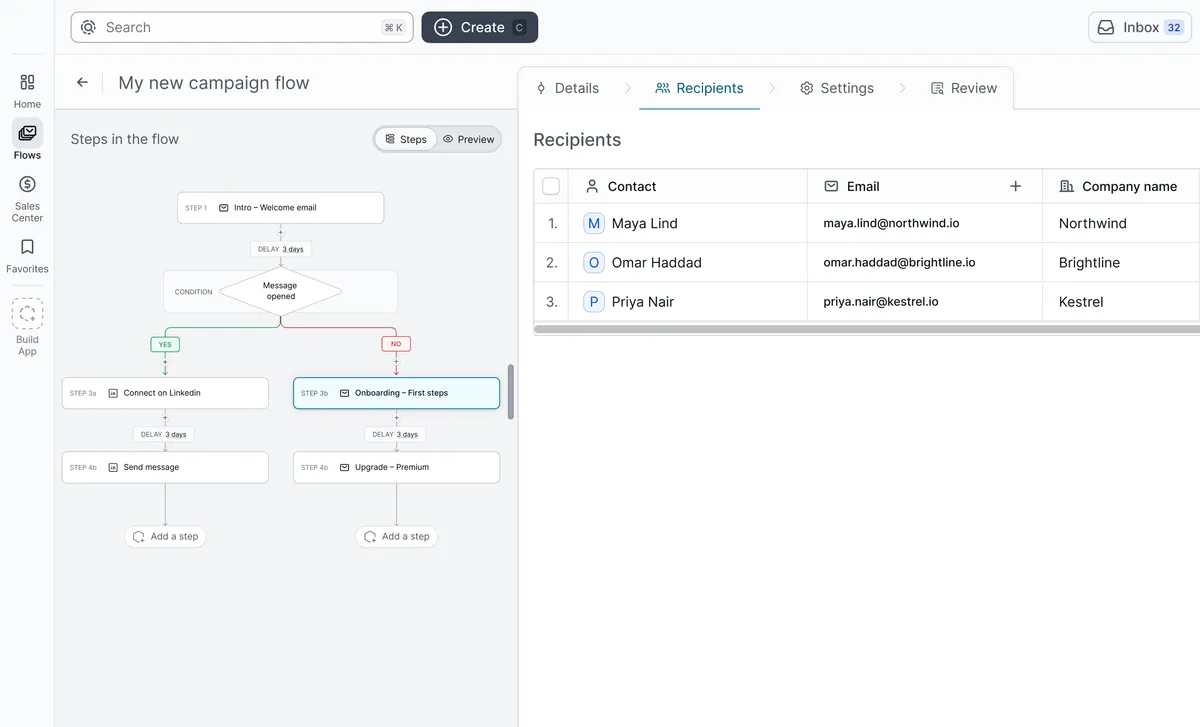
A campaign flow on the canvas, with a condition branching into LinkedIn and email steps, next to its recipient list

The process

As the lead UX designer, I owned the full product design from architecture to pixel-level detail.

  1. Navigation Architecture

    Restructured complex workspace actions into an optimized navigation sidebar with clean group categorization.

  2. AI Command Center

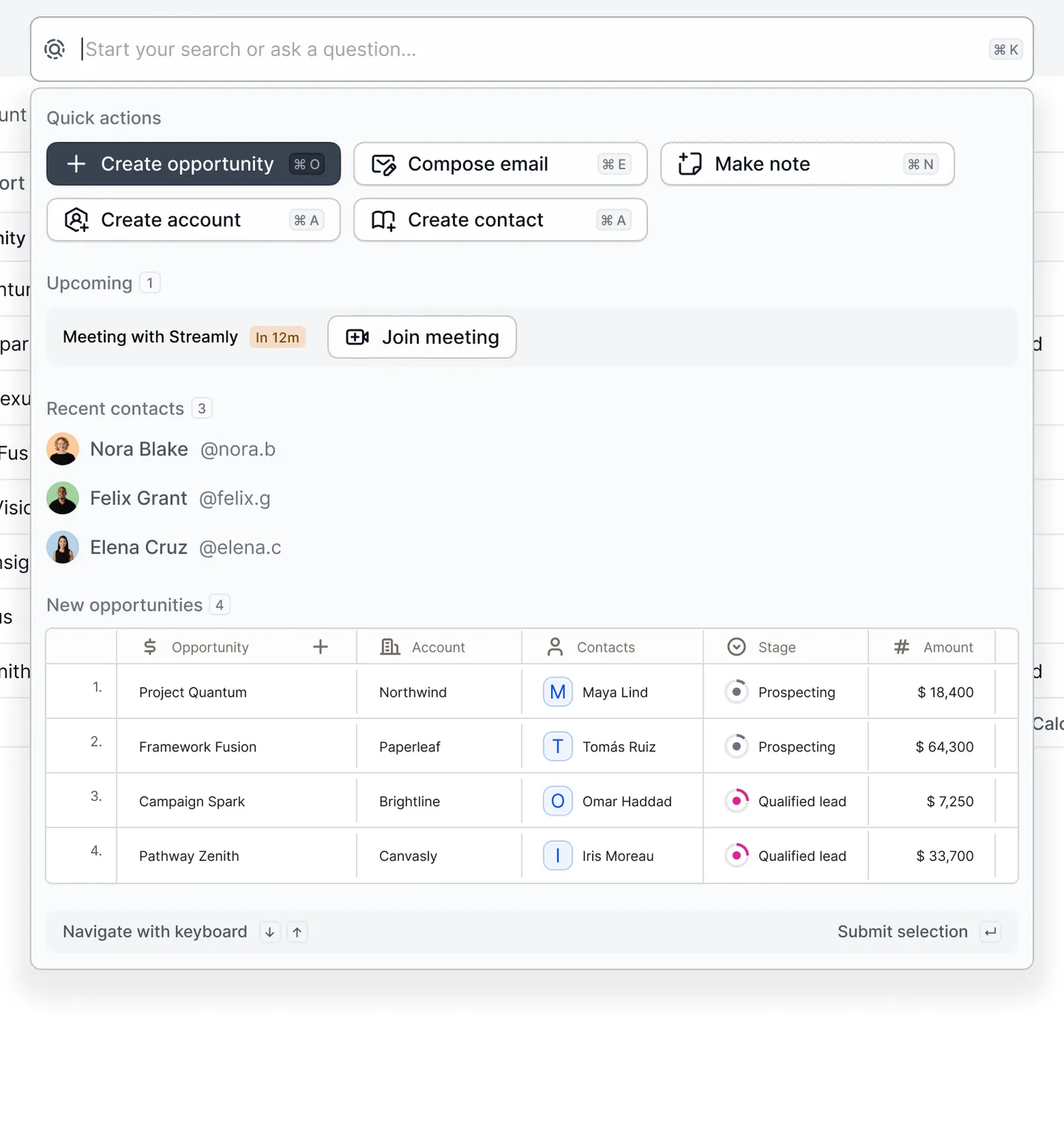
    Integrated contextual global search and direct trigger queries into a unified AI command input panel.

  3. Flow Builder & Canvas

    Engineered a drag-and-drop workflow system that translates sequence logic into digestible visual blocks.

  4. Feature Design

    Fleshed out accessory views like meeting schedulers, HTML signature composers, and dynamic modals.

  5. Design System & Tokens

    Enforced multi-theme stability by cataloging all visual tokens into centralized design tokens.

AI-powered search & command center

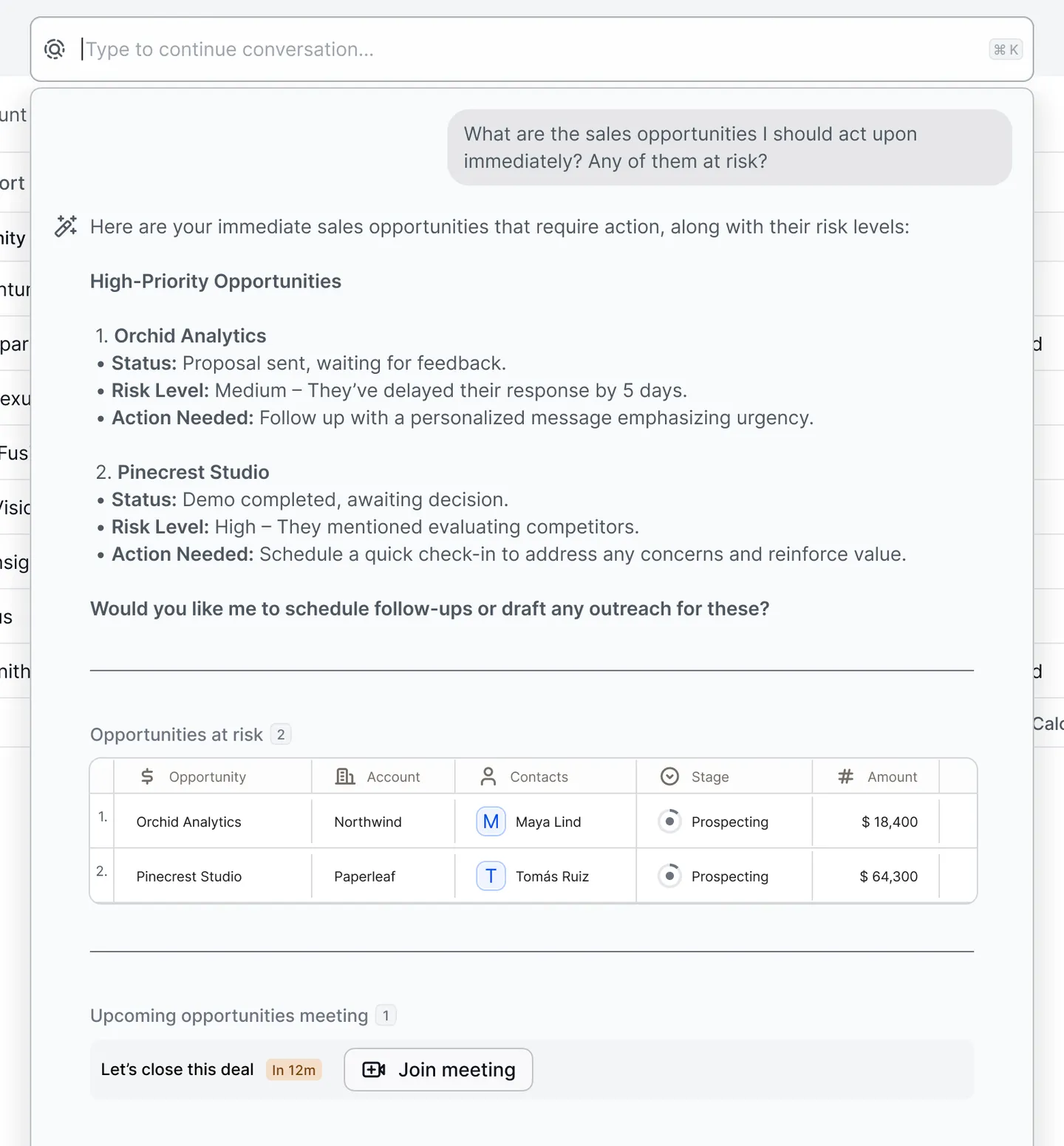
The unified search bar doubles as an AI command center. Users can search across the platform, create new items, or ask the AI assistant questions like “What opportunities should I act on immediately?” The AI surfaces high-priority opportunities with risk levels, action recommendations, and upcoming meeting context — so reps open the app to a shortlist instead of a search box.

Search & create
The command bar opened over the pipeline, with quick-create actions, an upcoming meeting, recent contacts, and new opportunities
Ask the AI
The AI assistant answering which opportunities need action, with risk levels, a table of at-risk deals, and an upcoming meeting

Visual email flow builder

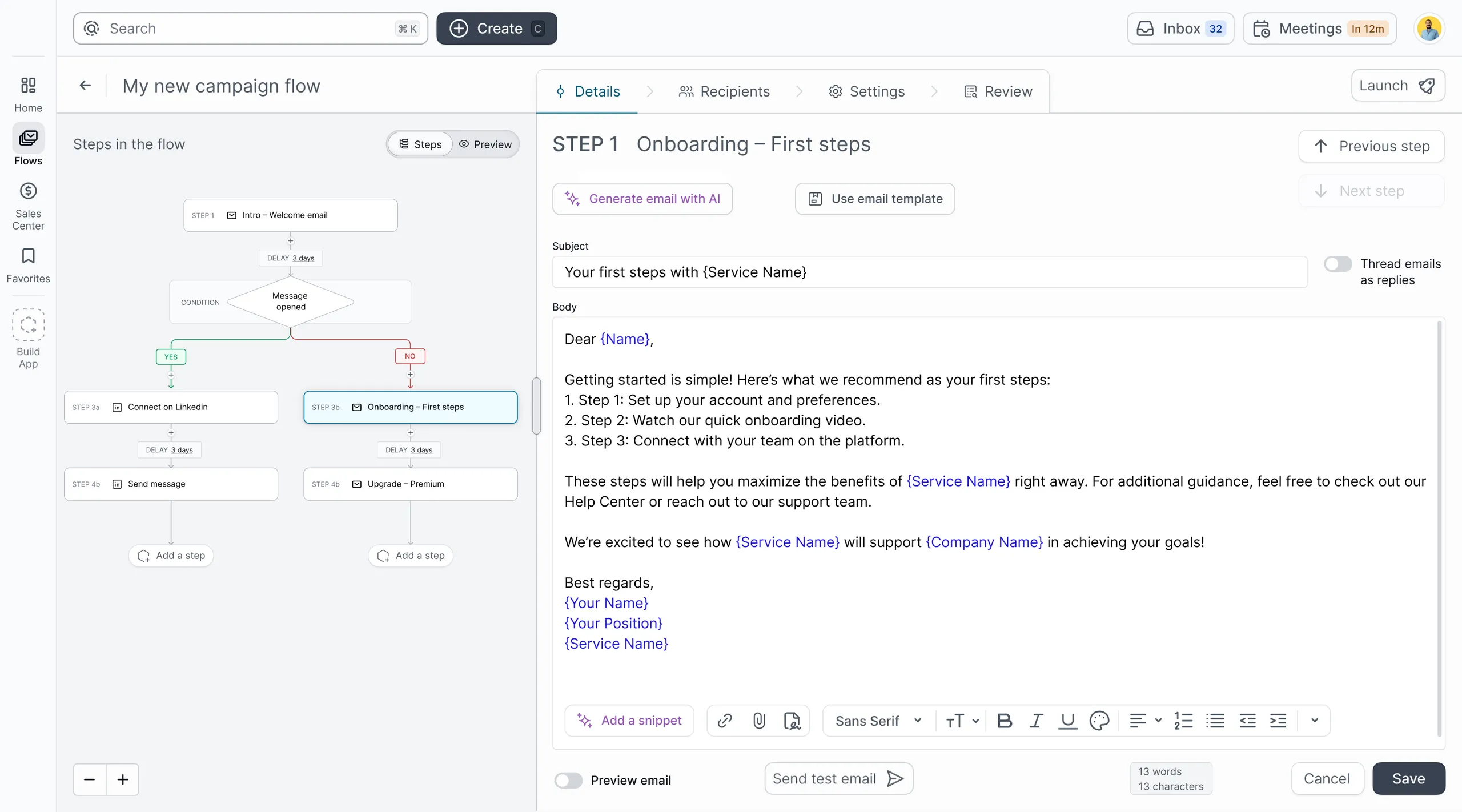
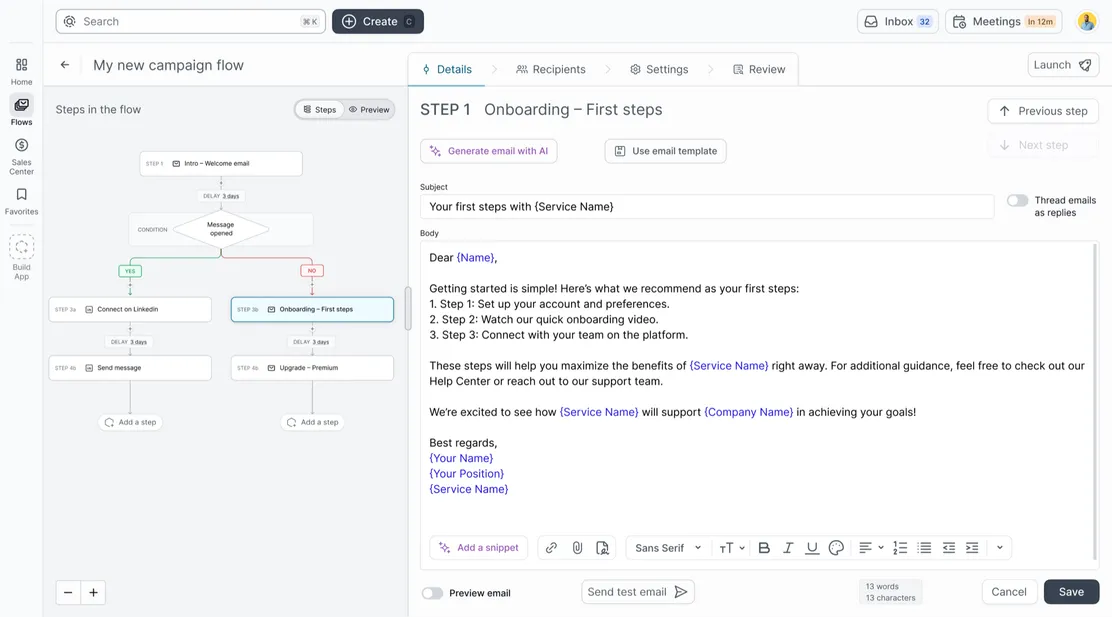
The core of the platform is a canvas-based email flow builder where users construct multi-step outreach sequences visually. Each flow contains steps connected on a canvas; the right panel shows step details with AI-generated email content, template selection, and a rich text editor — reps can generate a full AI draft with one click and refine it from there.

The flow builder: a campaign with a conditional branch on the canvas, and the selected step’s AI-drafted email in the details panel

Flow management & reporting

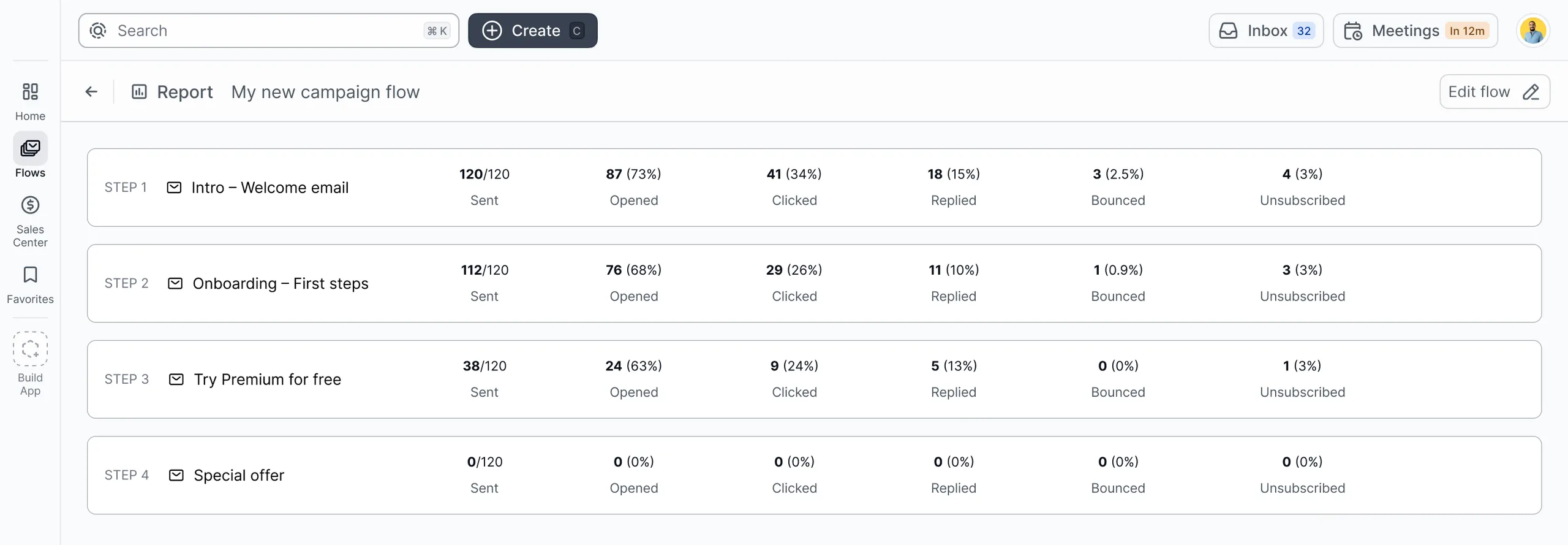
The flows list gives an at-a-glance dashboard of status, recipient count, progress, and key metrics. The reporting view breaks down performance per step — sent, opened, clicked, replied, bounced, and unsubscribed rates for each email in the sequence, so reps can see exactly where a sequence is losing people.

Step-by-step report showing sent, opened, clicked, replied, bounced, and unsubscribed rates for a campaign

Feature design: signatures & settings

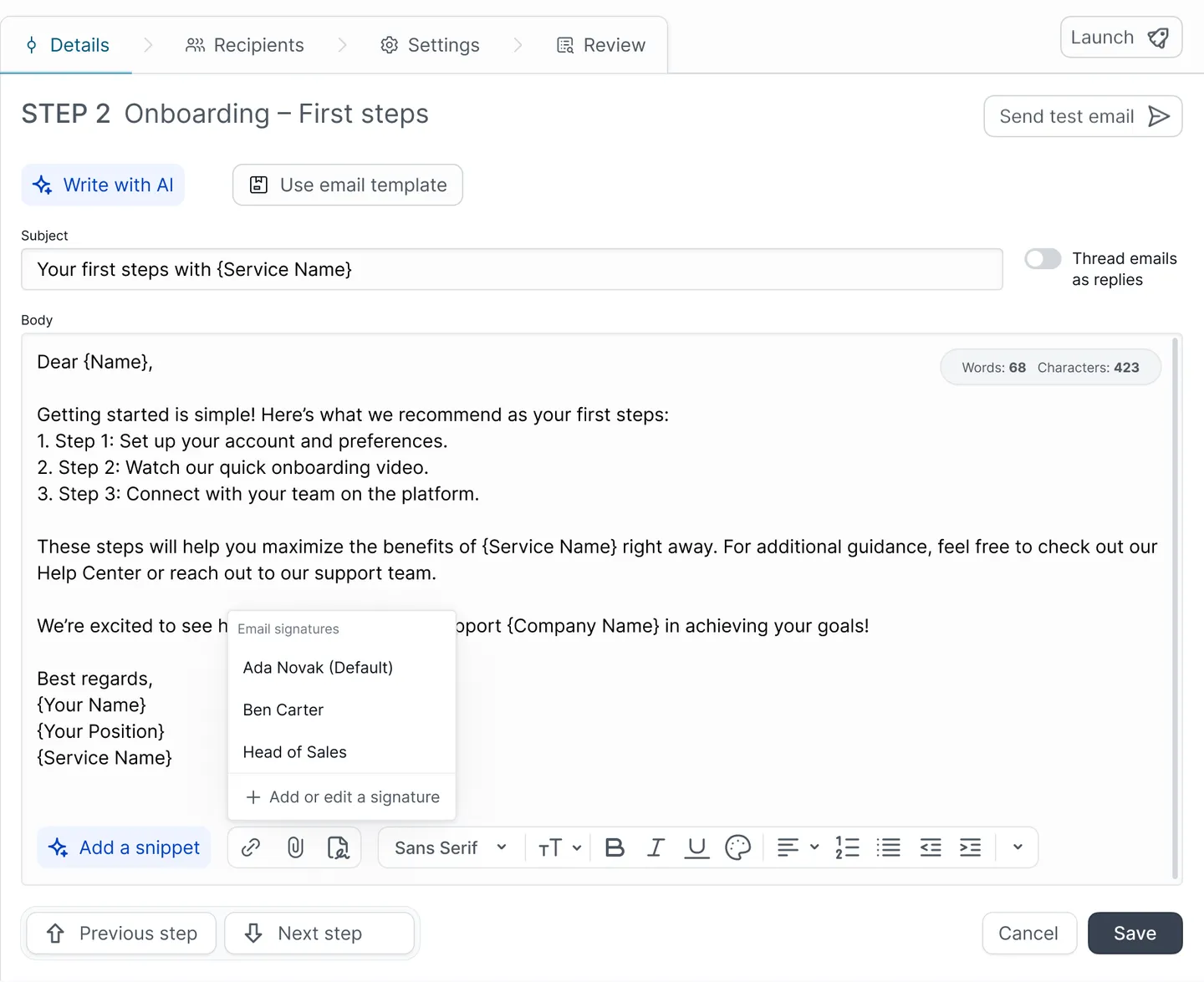
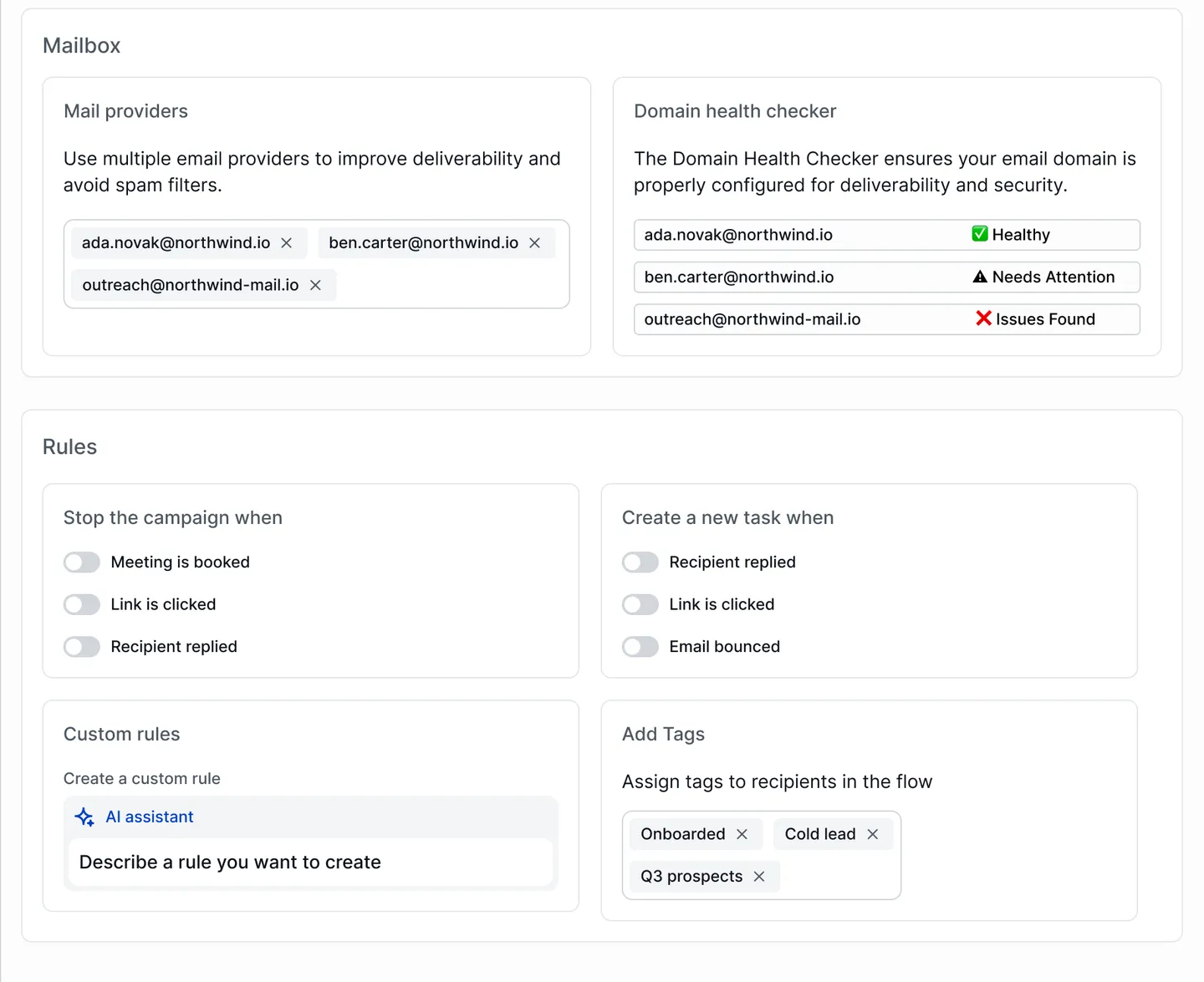
Beyond the core flow builder, I designed several interconnected features: email signature management, step action modals for conditions and triggers, and comprehensive campaign settings covering sending schedule, mailbox health, deliverability rules, and unsubscribe handling.

Signatures
Choosing a saved email signature while editing a flow step
Campaign settings
Campaign settings: mail providers, domain health checks, stop and task rules, AI custom rules, and tags

Updated navigation & information architecture

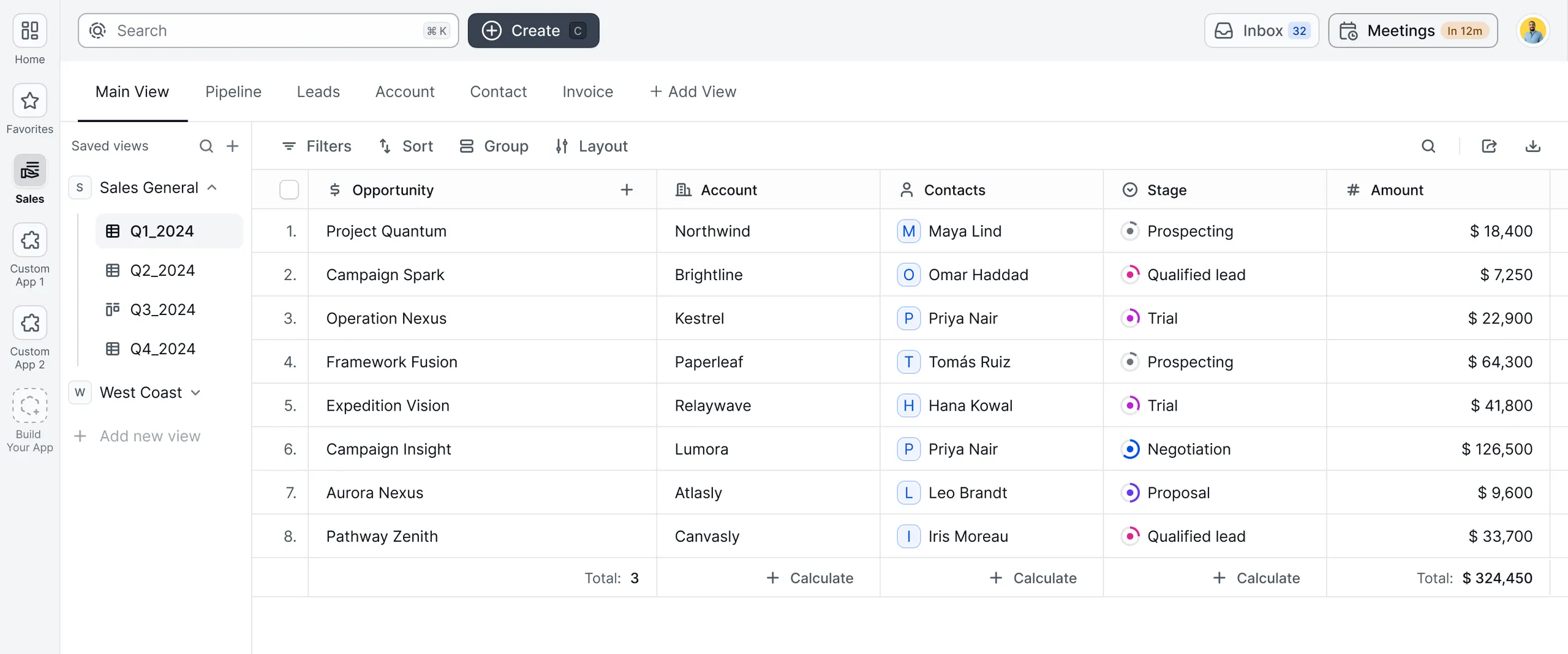
I redesigned the platform navigation using a vertical sidebar pattern with clear section grouping: Home, Flows, Sales Center, Favorites, and Build App. The sidebar supports second-level navigation for sales views, with saved views and quarterly breakdowns for teams that live in their pipeline.

The redesigned sidebar with Home, Flows, Sales Center, and Build App, next to a saved pipeline view

Design system & colour token architecture

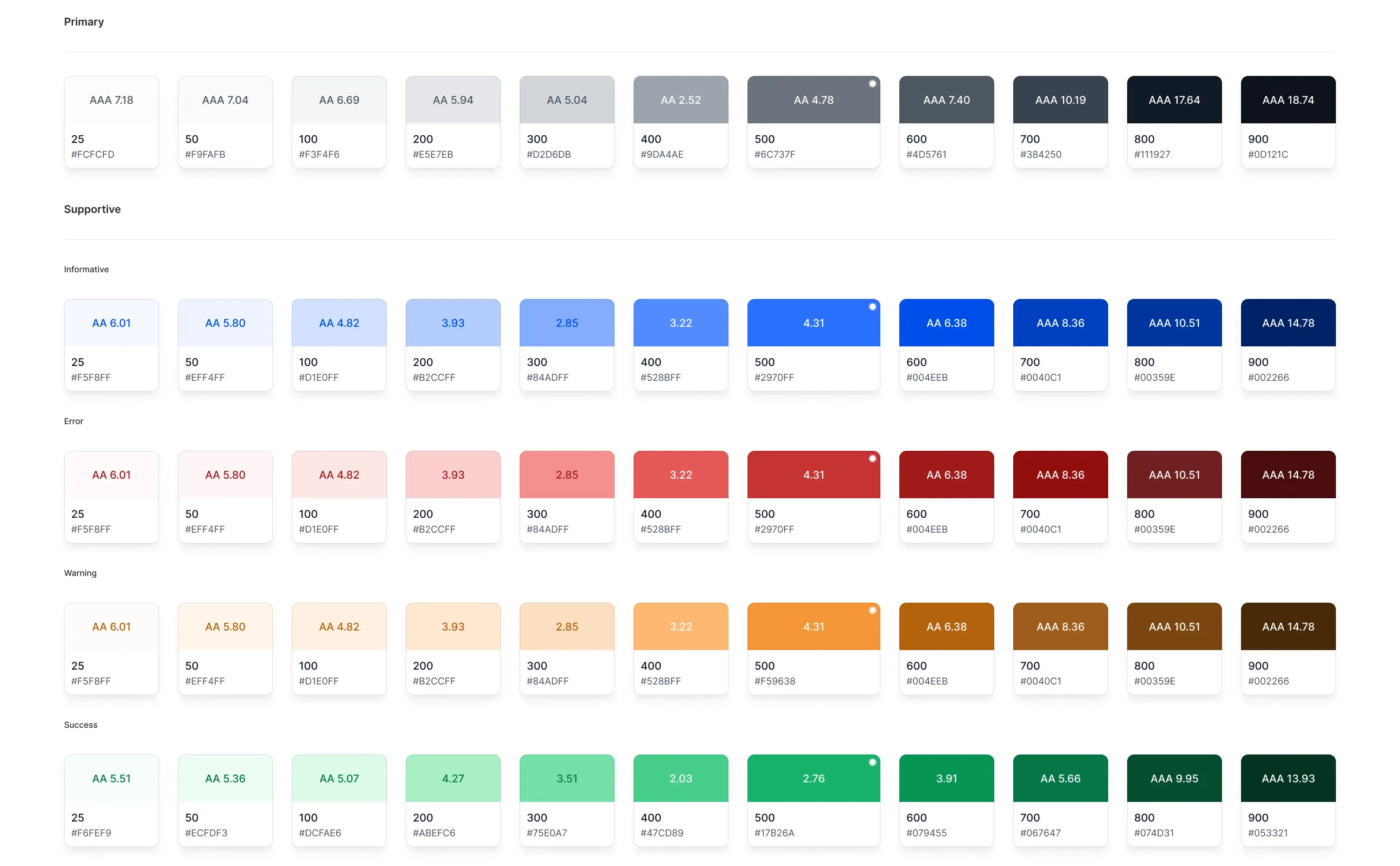
I established a structured, token-based design system with semantic colour tokens organized across six categories: Global (Primary, Supportive, Neutrals), Background, Content, Border, Link, and Action tokens. The component library includes reusable flow steps, template tiles, and interactive elements, so every new feature is assembled from the same trusted building blocks.

Global colour token scales: primary, plus informative, error, warning, and success, each with contrast ratings

Project impact & deliverables

I delivered a complete product design: an AI-powered command center, a visual canvas-based flow builder, comprehensive reporting dashboards, and a structured design system with semantic token architecture.

The platform launched with feature parity against market leaders like Outreach and Salesloft, while offering a distinctly more visual and AI-integrated approach to sales engagement.

  • 15+

    features designed and structured

  • 6

    semantic colour token categories

  • Full

    canvas flow builder architecture

  • AI

    command center search experience